
Watch this video tutorial on how to create a free food ordering website with Delivety
First of all, you have to log in to your Delivety Admin Panel and then click on your Domain. Make sure you’ve entered your Domain name there exactly as the name of your website. Next, you have to select “Create a food ordering website on the Delivety platform with your existing domain name”, and then two nameservers will appear. You will need these in the next step.
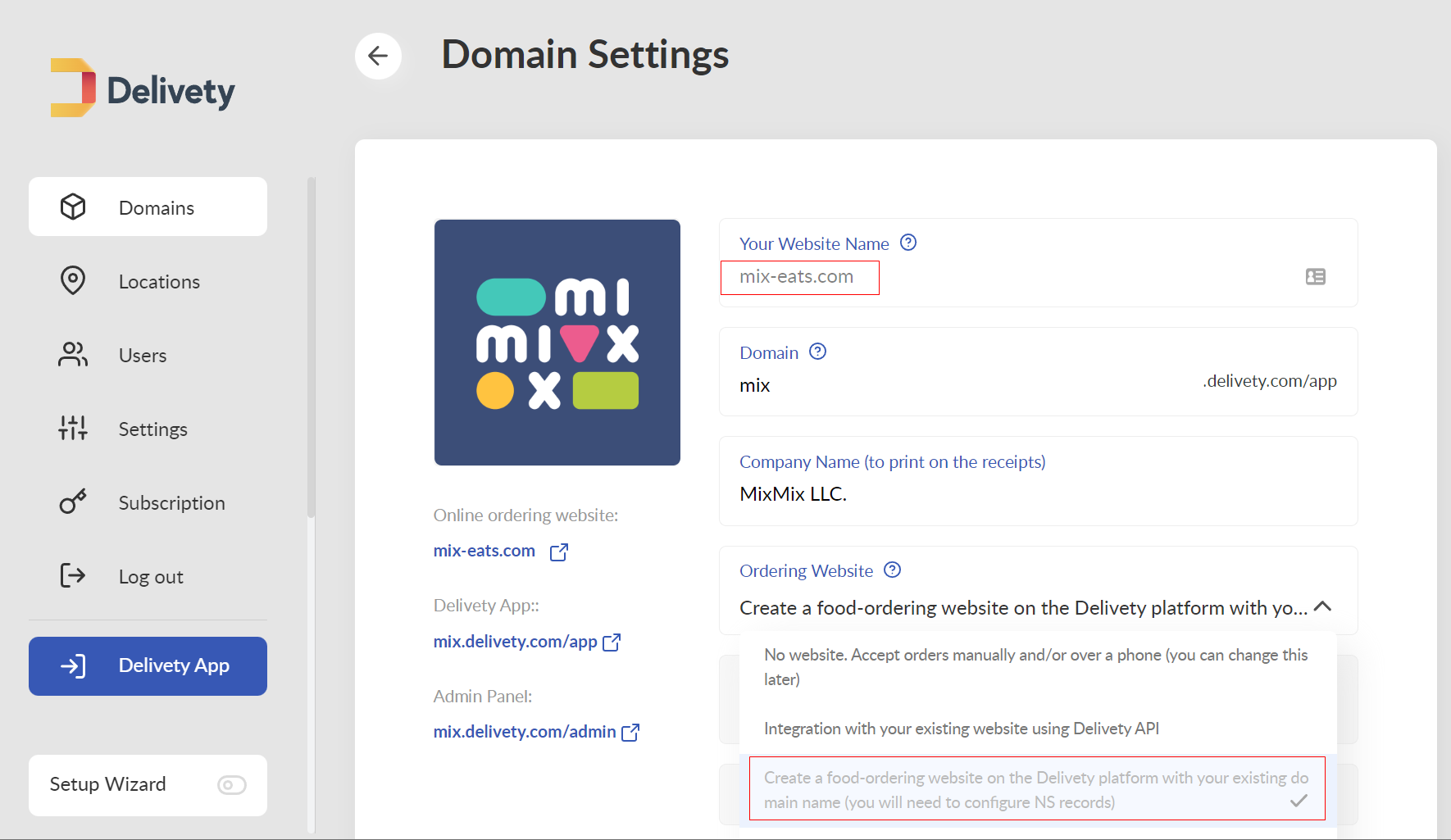
The next step is to log into your domain registrar admin panel. Domain registrar is the company you have used to register your domain name with (Domain.com, Bluehost, GoDaddy, Namecheap, Hover, Dynadot, e.g.). In your domain registrar admin panel, you have to find the NS (Name Servers) records. Click and replace them with the ones that we’ve provided for you in the first step.
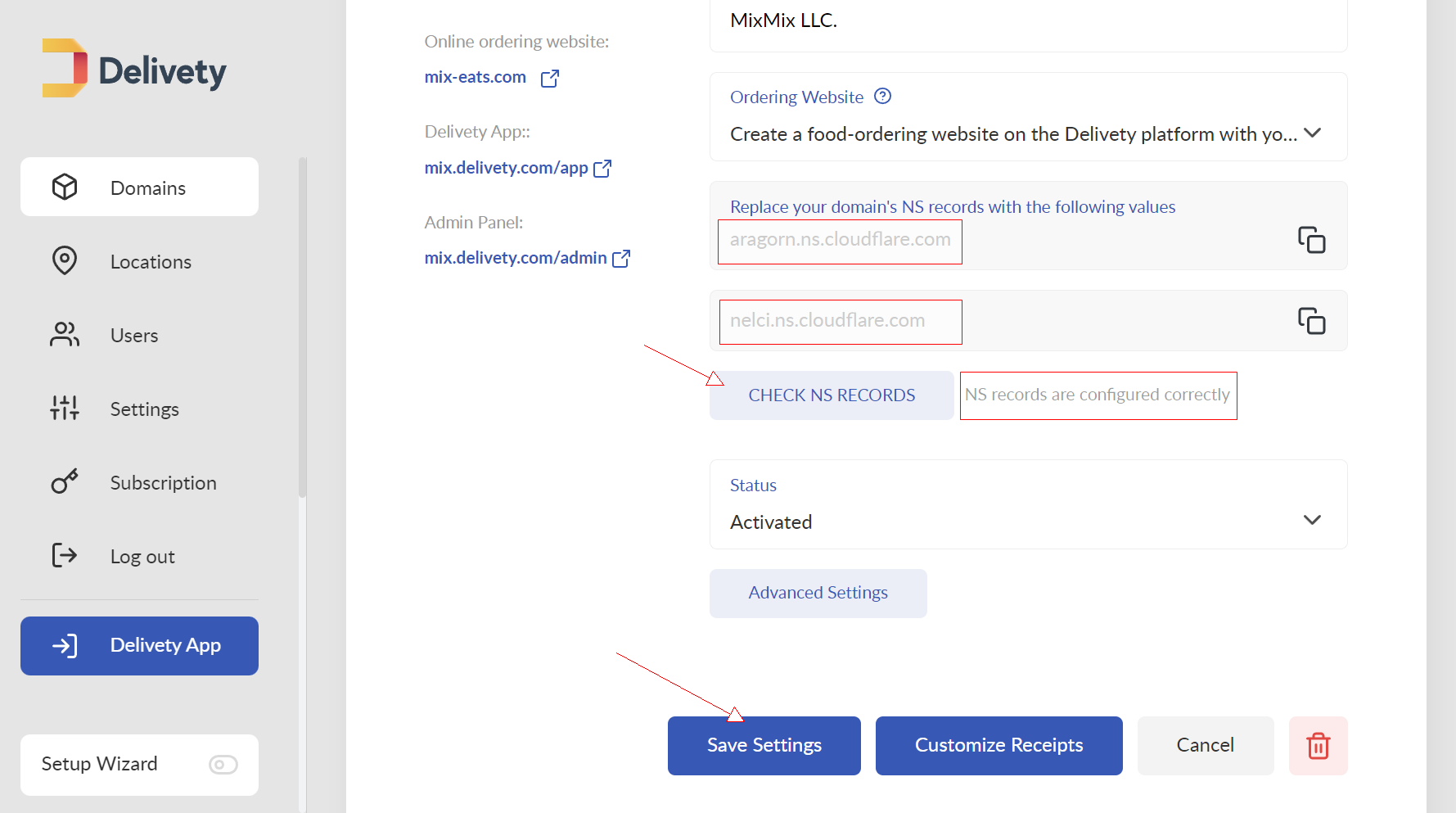
And then that’s it! The procedure takes no longer than two minutes, and now if you type your website name into the browser address bar, you will see your Delivety website.
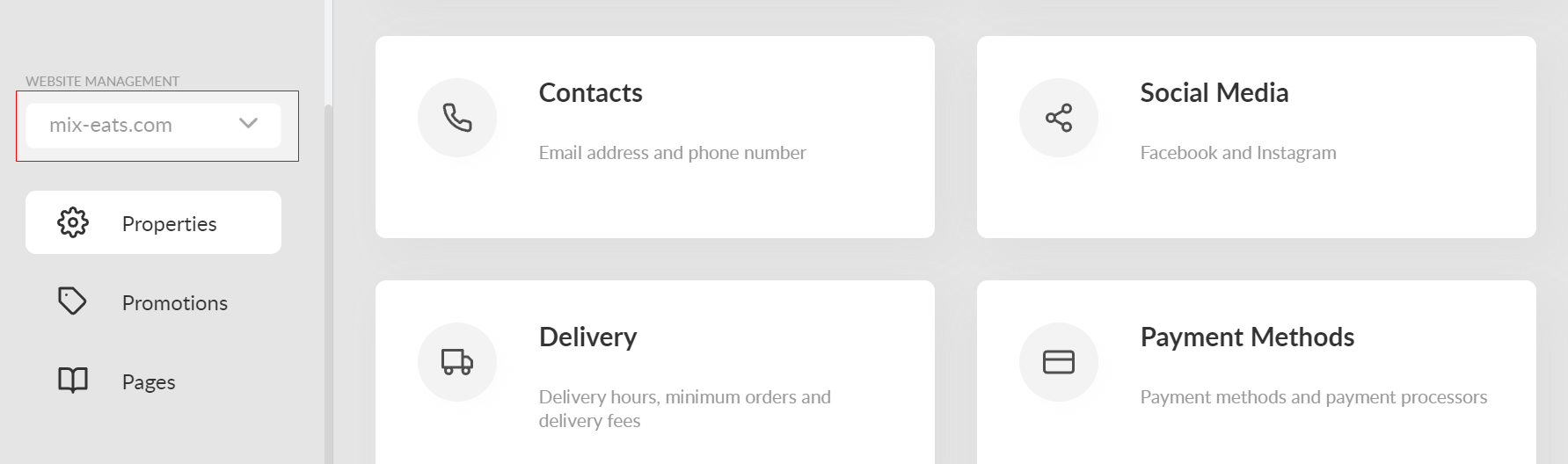
Now, open your Delivety Admin Panel and proceed to your Domain settings. You will see that your website settings have now appeared there, so that you can customize your website as you wish.
Comments
0 comments
Please sign in to leave a comment.