
You must be logged in as a Kitchen Dashboard user to “prepare” dishes using the Kitchen Dashboard.
Your Kitchen Dashboard shows all the dishes you have to prepare at the moment. The dishes are combined from all the confirmed orders for today and sorted by urgency, so the most urgent ones are shown on the top-left corner of your kitchen screen.
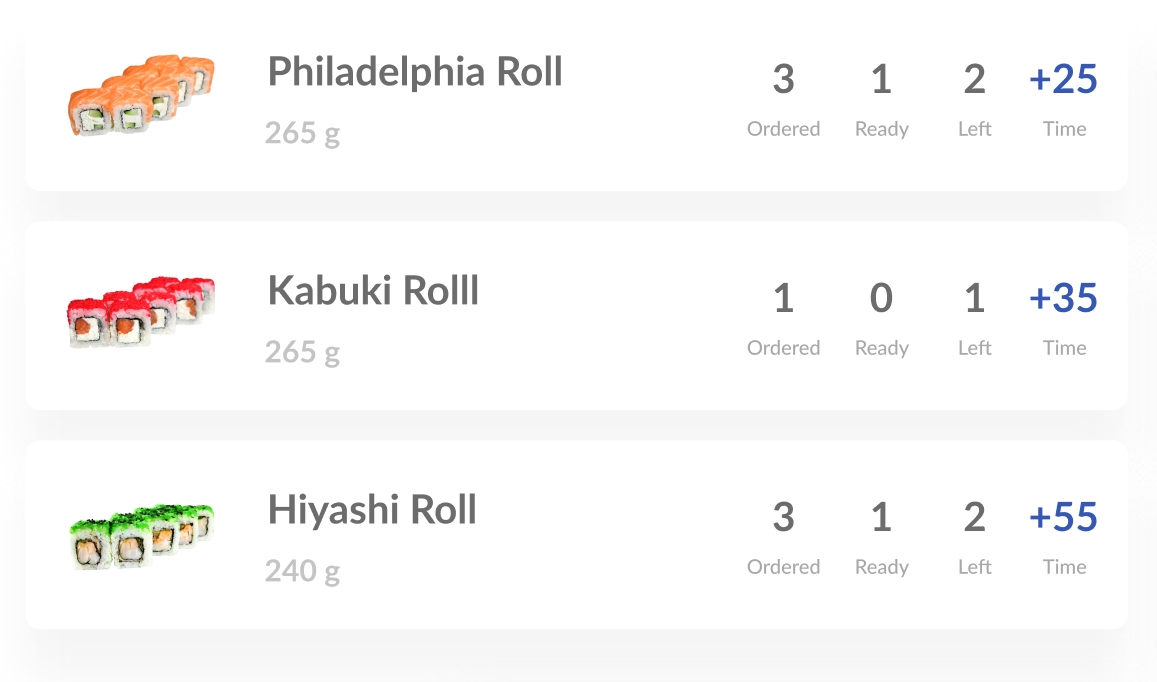
Each dish you have to prepare is shown in the form of a card with the photo, name, ordered quantity (Ordered), the quantity of the portions that is already prepared (Ready) and the quantity of the portions that is left to be prepared (Left = Ordered - Prepared) alongside the time left (Time) for the order to be prepared (to dispatch).
Once you are done with cooking a portion of the dish, you have to let the system know that the portion is “prepared” by tapping this dish. The portions calculator will appear where you have to enter how many portions you’ve just prepared. You can also minus some portions in case of a mistake.
Once the necessary quantity of the portions are prepared, the dish is grayed out and moves to the end of the list.
You can start cooking the next dish that shows up first on the left-hand pane now.
_______________
Troubleshooting:
Comments
0 comments
Please sign in to leave a comment.