
You can edit your dish recipes using the Recipe Editor. That means you have to log into the Delivety App as a user who has been assigned the Recipe Editor Dashboard. Log into the Delivety App using the URL your-domain.delivety.com/app (replace your-domain with your Delivety domain name). Select the user who has the Recipe Editor Dashboard assigned and enter that user's PIN code.
STEP 1. SELECT A DISH TO EDIT
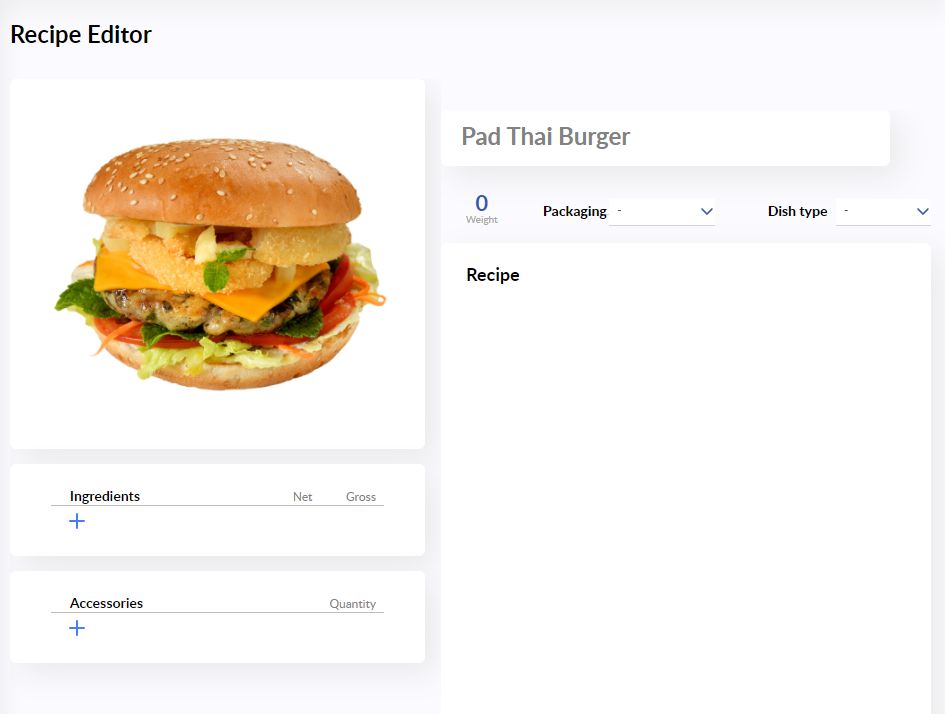
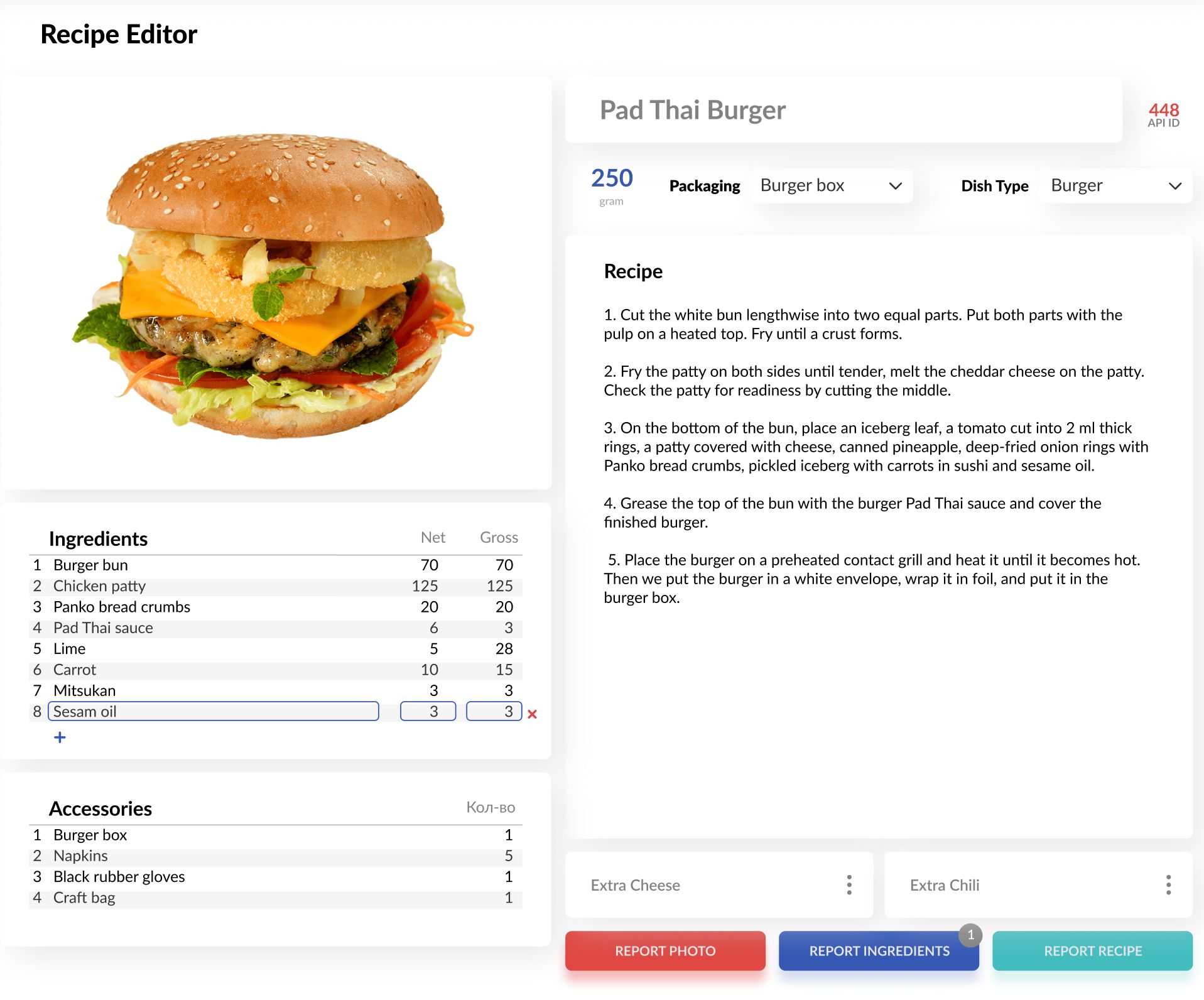
Select the dish you would like to edit from the left pane to open it in the Recipe Editor on the right. If this is the first time you are editing a recipe, you will see a blank list of ingredients, accessories, and a blank recipe screen.
STEP 2. ADD INGREDIENTS AND ACCESSORIES
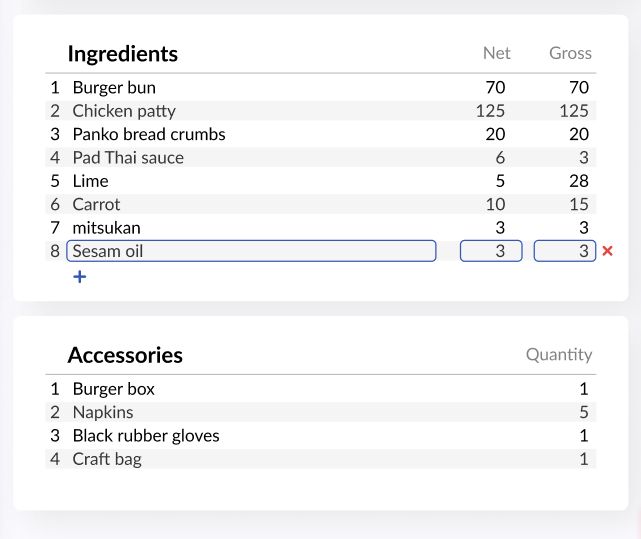
Add ingredients and accessories to the dish by clicking on the blue plus icons. Type in the ingredient/accessory name and set its Net and Gross weights (or Quantity for Accessories). You can select an ingredient/accessory from a drop-down list that forms based on previously entered records. The weight of the dish is adjusted automatically once you add ingredients and their net weights.
STEP 3. SELECT THE DISH PACKAGING
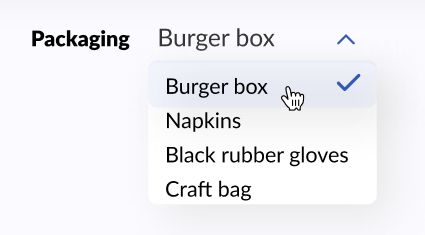
Click on the Package selector to open a drop-down list of the dish accessories. Select the accessory which the dish has to be packed into (a burger box for a burger, e.g.). This will be shown to the cooks so they will know what package to use.
STEP 4. SELECT THE DISH TYPE
Next, select the Dish Type to tell the system which cook has to prepare it. The dish won’t show in any of the Kitchen Dashboards if you skip selecting the Dish Type, however, it’ll still be shown in the Assembly Dashboard when ordered. This is perfect for the items that do not require cooking, such as beverages, disposable cutlery, paper bags, etc.
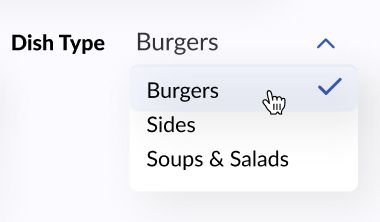
If your Dish Type list is empty or missing some dish types you need, then you have to add them in the Admin Panel at https://delivety.com/admin. Select Users then edit properties of any Kitchen Dashboard user to open the Dish Types list.
STEP 5. ADD THE RECIPE
Click on the Recipe tab and enter the text part of the dish recipe. You can also use additional formatting, lists, and tables if needed to make your recipe more informative and clear. All the changes in the recipe are saved automatically.
_____________________________
Next Steps:
Accepting Your First Orders Manually or Over a Phone
Previous Step:
Comments
0 comments
Please sign in to leave a comment.